Panic Button for Your Mac
Keep Touch ID for daily convenience. Get instant password-only security when you need it.

Why PanicLock?
Touch ID is genuinely useful 99% of the time—faster, easier, no shoulder-surfing risk. Most people don't want to disable it permanently.
But that 1% of situations where you need instant password-only security? There's no fast option on macOS.
PanicLock is your escape hatch: Keep the convenience of biometrics for daily use, with an instant "oh shit" button when circumstances change.
How It Works
On iOS, you can squeeze your phone's buttons to disable biometrics. macOS has no equivalent — until now.
One-Click Lock
Instantly disable Touch ID and lock your screen
Keyboard Shortcut
Trigger from anywhere with customizable hotkey
Password Only
Touch ID won't work until you unlock with password
See It In Action
Simple, unobtrusive, always ready when you need it.
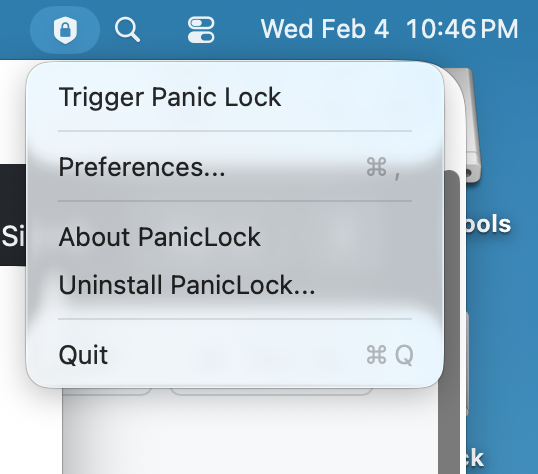
Lives in Your Menu Bar
Always one click away, never in your way
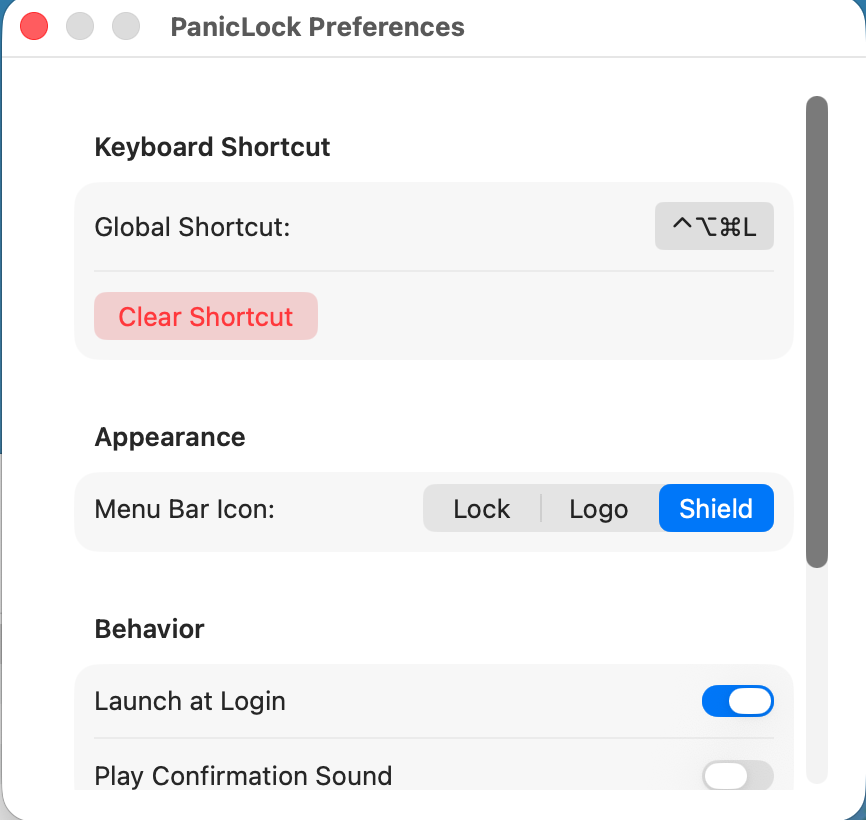
Customizable Shortcut
Set your own global keyboard hotkey
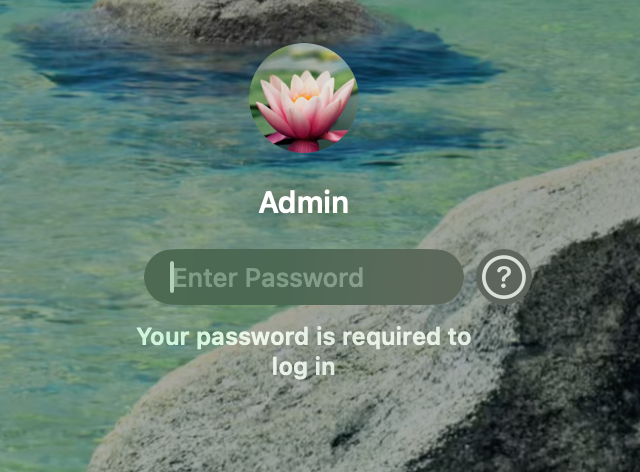
Password Required
Touch ID disabled until you unlock
PanicLock vs Shutdown
PanicLock
Fast "oh shit" button
- Instant lock (1 second)
- Disables Touch ID immediately
- Preserves your session
- Back to work in minutes
Full Shutdown
Maximum security
- Purges encryption keys
- Fully locks FileVault
- Takes time to shutdown & restart
- Kills your session
Use shutdown when you can, PanicLock when you can't. Shutting down is the most secure option—but when you need your Mac locked now and you'll be back in five minutes, PanicLock is your answer.
Built For
Travelers
Protecting sensitive client or company data across borders
Journalists
Safeguarding sources and confidential information
Lawyers
Maintaining attorney-client privilege
Activists
Securing devices in hostile environments
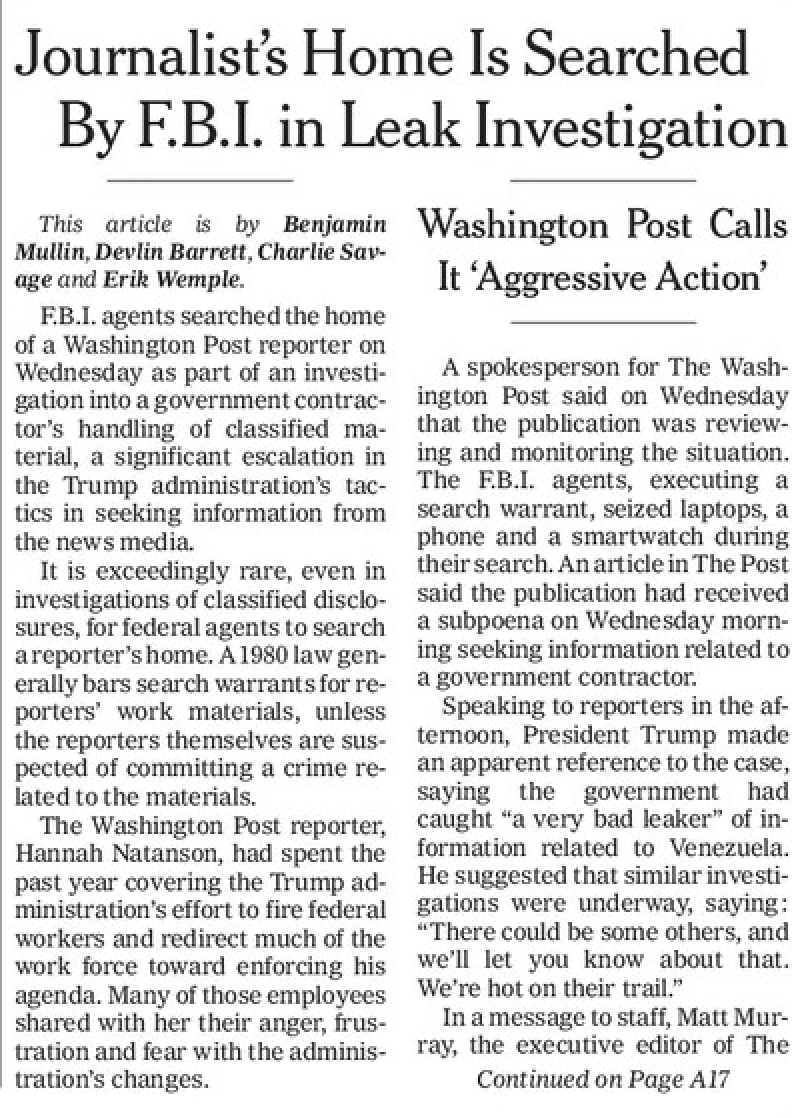
FBI Warrant Forced Biometric Unlock of Reporter's Devices
On January 14, 2026, FBI agents executed a search warrant at the home of Washington Post reporter Hannah Natanson, seizing her phone, two laptops, and a Garmin watch.
The warrant reportedly included a section explicitly titled "Biometric Unlock", authorizing agents to attempt to unlock seized devices using Natanson's face or fingerprints rather than demanding a passcode.
Natanson had communicated with more than 1,100 confidential sources using Signal and other encrypted tools. The warrant created a legal pathway to access those communications without compelling her to disclose a password.
Security and press-freedom experts warned that biometric unlock provisions collapse the practical barrier between possession of a seized device and access to its encrypted contents.
Sources:
- Columbia Journalism Review — Nothing Is Secure: https://www.cjr.org/news/hannah-natanson-fbi-washington-post-raid-devices-seized-runa-sandvik-security-computer-phone-laptop-sources.php
- Reporters Committee for Freedom of the Press explainer: https://www.rcfp.org/fbi-raid-washington-post-explainer/
Legal Protection Matters
Passwords vs Biometrics: The US Legal Divide
US courts are split on whether law enforcement can compel you to unlock a device using biometrics. Passwords and passcodes are generally treated as testimonial under the Fifth Amendment, they reveal the contents of your mind and are therefore protected. Biometrics, by contrast, have often been treated as physical evidence, more like fingerprints or DNA.
That distinction is now breaking down.
Ninth Circuit — United States v. Payne (April 2024)
In United States v. Payne, the Ninth Circuit held that compelling a suspect to unlock a phone using a fingerprint did not violate the Fifth Amendment.
Police physically grabbed Payne's thumb and used it to unlock his phone after he refused to provide the passcode. The court concluded this did not implicate the Fifth Amendment because the act required no cognitive exertion and did not reveal the contents of Payne's mind.
The court analogized the compelled fingerprint unlock to traditional forms of physical evidence collection, such as fingerprints taken during booking or a blood draw.
Holding: No Fifth Amendment violation.
Source:
- Ninth Circuit opinion (April 17, 2024): https://law.justia.com/cases/federal/appellate-courts/ca9/22-50262/22-50262-2024-04-17.html
D.C. Circuit — United States v. Brown (January 2025)
The D.C. Circuit reached the opposite conclusion in United States v. Brown.
In that case, the FBI compelled the defendant to unlock his phone using a fingerprint. The court held that this did violate the Fifth Amendment, reasoning that the act of unlocking the phone communicated protected facts — including that the defendant knew how to open the device and exercised control over its contents.
Rather than treating biometric unlocking as purely physical, the court emphasized the implicit testimonial communication involved in successfully unlocking a personal device.
Holding: Compelled biometric unlocking was testimonial and unconstitutional.
Sources:
- D.C. Circuit opinion (Jan. 17, 2025): https://law.justia.com/cases/federal/appellate-courts/cadc/23-3074/23-3074-2025-01-17.html
- Arnold & Porter analysis: https://www.arnoldporter.com/en/perspectives/advisories/2025/03/when-your-fingers-do-the-talking
A Real Circuit Split
These decisions create a direct circuit split:
- The Ninth Circuit treats biometric unlocking as non-testimonial physical evidence.
- The D.C. Circuit treats it as testimonial compelled communication.
That split makes eventual Supreme Court review likely. Until then, your constitutional protection depends on where you are.
US Border Searches
At US ports of entry, Customs and Border Protection (CBP) can search electronic devices without a warrant. The more complex question is what they can compel.
If your device is protected by a password, you may refuse to provide it. CBP can seize the device, but the encryption barrier remains legally and technically intact.
If biometrics are enabled, that barrier may not exist. Agents can potentially unlock your device using your face or fingerprint — sometimes without your cooperation, and in some jurisdictions without violating the Fifth Amendment.
For people carrying privileged or sensitive material, journalists protecting sources, lawyers with client communications, activists with vulnerable contacts, disabling biometrics before reaching the border restores the legal distinction between possessing a device and accessing its contents.
Sources:
- EFF — Border Searches: https://www.eff.org/issues/border-searches
- Cornell University — Digital Privacy at the Border: https://global.cornell.edu/travel/planning/traveling-technology/digital-privacy
International: Compelled Disclosure Laws
In some countries, the biometrics-versus-password distinction is legally irrelevant: the law may criminally compel password disclosure.
Even then, the difference matters.
With passwords, you retain agency, you may refuse and face legal consequences. With biometrics enabled, that choice may be taken from you entirely.
Ready to Secure Your Mac?
Get the panic button your Mac deserves.
PanicLock is open source software.